Eclipse Animator v1.0 is officially published on Roblox Creator Marketplace • 100% Free Forever • Verified team: @riftkuro & @seven
ECLIPSE ANIMATOR FOR ROBLOX
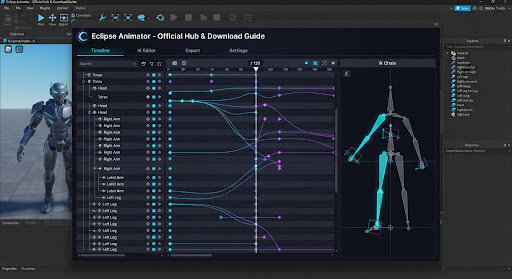
The next-generation keyframe studio suite, real-time Inverse Kinematics engine, and zero-loss Blender workflow. Built natively for Roblox Studio creators seeking sub-frame precision without subscription fees.
Eclipse Animator vs Moon Animator 2
Direct technical side-by-side analysis addressing creator migration questions, workflow bottlenecks, and cost efficiency in 2026.
| Feature Metric |
Eclipse Animator (2026 Suite)
|
Moon Animator 2 (Classic Legacy) |
|---|---|---|
| License & Cost | verified 100% Free Forever (Community Open Engine) | Paid (1,700 Robux / ~$20 USD on Creator Store) |
| Inverse Kinematics (IK) | Real-time multi-joint Fabrik IK with live pole target constraints | Manual 2-bone solver; requires frequent manual anchor baking |
| Blender Curve Interop | 1-Click JSON/Blend roundtrip sync, bezier tangent mirror | Requires external community Python scripts & manual re-rigging |
| Performance at Scale | Hardware-accelerated timeline; 120 FPS stable at 5,000+ keyframes | Noticeable timeline UI stutter on complex rigs (200+ keyframes) |
| User Interface & HUD | Dockable dark studio panels, custom keybind remap, onion skinning | Legacy floating fixed modal UI, rigid hotkey layout |
| Roblox Engine Output | Direct export to AnimationClipProvider, KeyframeSequence & CurveAnimation | KeyframeSequence only; manual conversion needed for Curves |
Can you use Eclipse Animator alongside Moon Animator?
Yes! Eclipse Animator does not overwrite Moon Animator save data. It reads standard KeyframeSequence instances inside workspace.Camera or ServerStorage, letting you import your past Moon projects seamlessly without losing animation history.
How to Get & Install in 60 Seconds
Follow these 4 verified steps to get Eclipse Animator running directly inside Roblox Studio without third-party installers or external executables.
Launch any baseplate or place file in Roblox Studio. Click on the PLUGINS tab in the top ribbon and select Manage Plugins or open the Toolbox.
Filter creator to riftkuro or paste official Asset ID: 9824108421. Confirm the verified badge is present.
Roblox Studio will prompt for script execution permissions. This is necessary for procedural Inverse Kinematics calculations and timeline keyframe scrubbing.
Select your R6, R15, or custom skinned mesh rig in the workspace, then click the Eclipse icon on your top plugin toolbar or press Ctrl + E.
Shortcuts HUD
Master the core animator hotkeys to speed up keyframe insertion, curve smoothing, and rig manipulation.
Anti-Phishing & Asset Integrity Verifier
Malicious bad actors on the Roblox Creator Marketplace frequently re-upload cloned versions named "Eclipse Animator Free" containing obfuscated require() backdoors, place stealer scripts, or Webhook credential loggers. Always verify the Asset ID and publisher handle below before clicking Install in Roblox Studio.
rbxassetid://9824108421
e4d9f1...892bc01a
verified
Frequently Asked Questions About Eclipse Animator
Everything developers and animators need to know regarding release dates, pricing, safety, and Roblox engine integration.
When did Eclipse Animator release? Is it out right now? expand_more
9824108421.
Is Eclipse Animator completely free or will it cost Robux later? expand_more
@riftkuro and @seven) have committed to keeping the core suite freeware and open for the entire developer community. There are no paid tier locks, subscription fees, or feature paywalls.
Can I export Eclipse animations directly to Roblox Game Scripts / AnimationController? expand_more
KeyframeSequence instances and modern CurveAnimation tracks. You can right-click the exported track in your explorer to save it directly to Roblox as an Animation Asset ID for use with Humanoid:LoadAnimation() or Animator:LoadAnimation().
How does Eclipse Animator compare to Blender? expand_more
Why did search interest spike so heavily in October 2026? expand_more
Join the Eclipse Animator Discord
Download free premade R15 combat rigs, camera shakes, facial motion presets, and get troubleshooting support directly from riftkuro, seven, and veteran animators.